thespacepit
version 1.0
Hook FM
drones, chords and cities. custom firmware for the m-vave fm-1 by nick hook. a drone that's always breathing, chords that always fit it, 21 cities with their own key and sound. leave it alone and it plays itself.
01What's in it
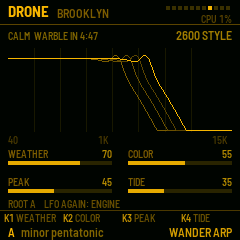
| drone | moog-style ladder or arp 2600-style. calm for 5 minutes, then the warble eases in |
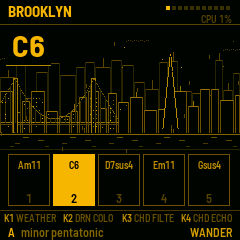
| chords | cs-80 style, two layers a note, filter swell, slow vibrato. always in the city's key |
| wander | picks the next chord every few bars, so it plays itself |
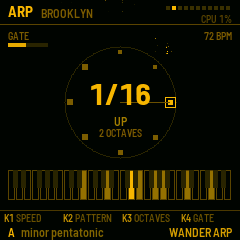
| arp | six speeds, four patterns, octaves and gate, on the tempo |
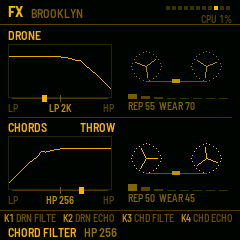
| fx | two chains, drone and chords: a dj filter (low-pass left, high-pass right) into a tape delay with throws |
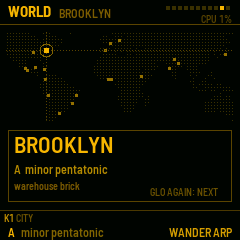
| cities | 21, from brooklyn to buenos aires, each with its own scale, sound and skyline |
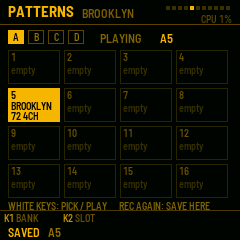
| patterns | 64 slots that bring back the whole sound |
| screens | every button opens its own |
02Try it, then install
in the browser
- open try it and press switch on. give it a few seconds to wake up.
- the keys A S D F G H J play the chords. drag a knob with the mouse.
- 9 is arp, Z X move the chords' octave. the rest is in the guide.
on your fm-1
- plug the fm-1 into your computer with usb and open install in chrome or edge.
- press install. the browser asks once to use midi: allow it.
- don't unplug it while it writes. when it restarts, it's hook fm.
want the original back? the bottom of the install page puts m-vave's own firmware back on, any time. installing custom firmware is at your own risk.
03Docs
The guide14 pages, every screen and knob (pdf)
The manualthe short version (text)
Firmwarehookfm-1.0.fwsc, for the emulator or a terminal install
Everythingthe guide, manual and firmware in one zip
the firmware file also works in the community fm-1 emulator at joakimeriksson.github.io/fm1-emu: open .fwsc, pick it, press start, and set the clock to 240 mhz.